



Discord’s new ID verification for age-restricted channels has a lot of people looking for a way out, but most “alternatives” floating around Reddit aren’t ready to replace it yet. We tested four of the most recommended options: Stoat, Nerimity, Fluxer, and GameVox.
Table Of Content
- Why People Are Suddenly Looking for a Discord Alternative
- Discord Alternatives Compared at a Glance
- Stoat: Best for Privacy, But Missing Core Features
- Nerimity: Screen Share Works, But Privacy Comes at a Cost
- Fluxer: Closest Look and Feel to Discord, But Buggy
- GameVox: The Most Complete Alternative, But Not Open Source
- So, Is Any of These a Real Discord Replacement?
- Top Asked Questions
Stoat is the most privacy-focused (open source, made in Europe, no ID needed) but it’s missing webcam and screen share entirely, which kills it for anyone doing calls or streaming.
Nerimity has screen share, but you can’t upload images to a private server without paying, and public servers come with a “no NSFW content” wall that makes it feel more like a social feed than a private chat app.
Fluxer looks and feels closest to Discord and has generous free file limits, but logins and text search broke repeatedly during testing.
GameVox came out on top for stability and features, including working discussion channels, though it isn’t open source and larger servers require a paid plan. Bottom line: none of these fully replace Discord yet, but GameVox and Fluxer are the closest, and Stoat is the one to watch if privacy is your top priority.
Why People Are Suddenly Looking for a Discord Alternative
Discord just rolled out a new “teen by default” system that requires a face scan or a government ID before adults can access age-restricted channels. For a platform that’s already leaked over 70,000 user IDs in a previous breach, handing over another government document doesn’t sit well with a lot of users, even ones who never touch NSFW content in the first place.
Add in the 10MB upload cap, the constant push toward Nitro, and the quest-style microtransactions, and it’s no surprise people are hunting for something else.
The problem is finding an app that actually holds up. We pulled every Discord alternative mentioned across Reddit threads and forums, narrowed it down to the ones that take privacy seriously, and tested each one by actually building a server, messaging, calling, and uploading files, the same way you’d use Discord day to day.
Discord Alternatives Compared at a Glance
| App | Open Source | ID/Email Required | Webcam & Screen Share | Free Upload Limit | Starting Price |
| Stoat | Yes | Email only | No (coming soon) | Standard | Free |
| Nerimity | Yes | Email only | Yes | Requires paid tier or public server | Donation-based |
| Fluxer | Yes | Email only | Yes | 25MB | Free / $5 mo (Plutonium) |
| GameVox | No | None (anonymous option) | Yes | 500MB | Free / server owner pays $5–$20 mo |
Stoat: Best for Privacy, But Missing Core Features
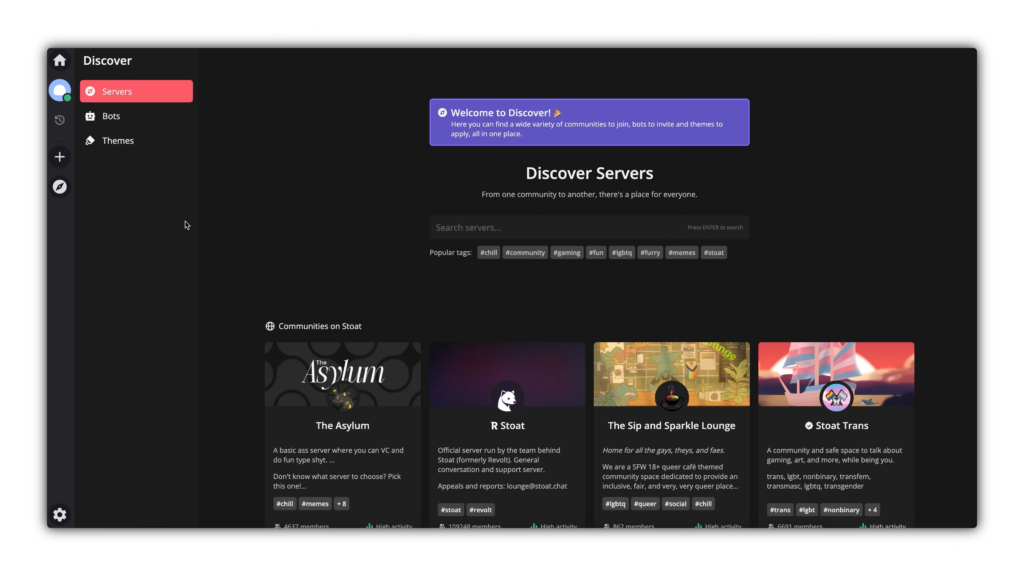
Stoat has been around since 2021, which makes it one of the more established names on this list. The pitch is right there on the homepage: “the chat app where you are the main character,” meaning the team says it prioritizes users over shareholders. It’s free, open source, and built in Europe, which tends to matter to people who care about how their data gets handled.
The app itself feels familiar. Light gray color scheme, clean sans-serif font, and nearly all the building blocks you’d expect: mod tools, permissions, user mentions, groups, DMs, and servers. Unlike Discord, Stoat does ask for an email to try it, so it’s not fully anonymous. The official server has crossed 100,000 users, which sounds solid until you compare it to Discord’s 259 million monthly active users.
Setting up a server works a bit differently than Discord. There’s no plus button; you right-click a blank space to create a channel or category. It’s not hard once you know it, but there’s no onboarding hint to tell you that. Text channels, voice channels, and categories all worked fine during testing. Threads and discussion channels, however, don’t exist yet.

The dealbreaker showed up in voice calls. Hovering over the webcam and screen share buttons brings up a “coming soon” label. No webcam, no screen share, full stop. For anyone using Discord for work meetings or streaming to friends, that alone rules Stoat out for now.
Where Stoat wins:
- Genuinely privacy-first, built and hosted in Europe
- Free and open source
- Nearly identical permission and role system to Discord
- Doesn’t require a government ID for anything
Where it falls short:
- No webcam or screen share (listed as “coming soon”)
- No thread or discussion channel support
- Smaller community than Discord by a wide margin
- No onboarding guidance for new server owners
Nerimity: Screen Share Works, But Privacy Comes at a Cost
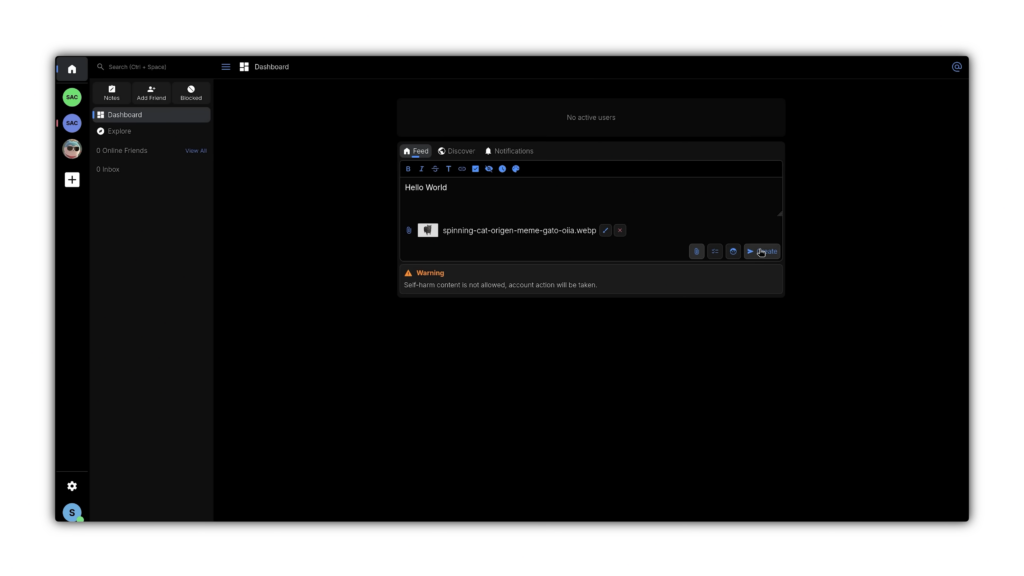
Nerimity’s website is a lot more minimal than Stoat’s: one page describing what it does, a link to its GitHub, and a login button. It runs in the browser, on Windows, Mac, and Linux, and even has an Android app.
The layout starts out familiar, servers and an inbox on the left, but then adds something Discord doesn’t have: a feed section where you post updates that show up with like, reply, and repost buttons. It’s part chat app, part Twitter clone. There’s a discovery tab full of memes and general posts, so there’s clearly an active user base, even if the feature itself feels like a mismatch for a “Discord alternative.”
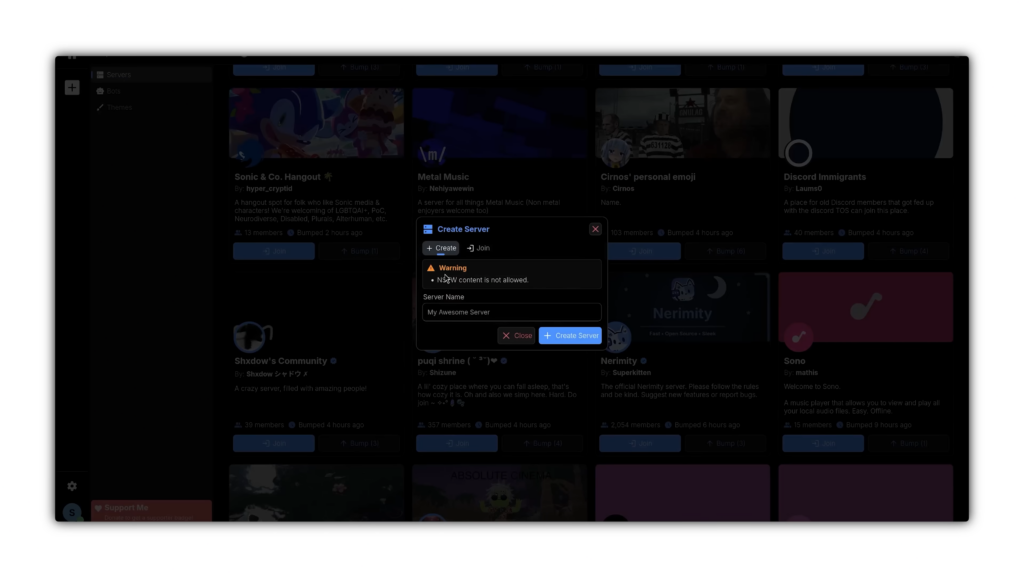
Building a server surfaced the same friction as Stoat: no plus button, no right-click menu. Channels have to be created directly through settings, and there’s no confirmation step, the channel is just created the moment you submit it. On the plus side, webcam and screen share both work out of the box, along with custom emoji uploads, custom roles, and a welcome screen.
The real problem showed up when trying to send an image. Nerimity requires either a CDN upload or a Google Drive link to send attachments on a private server, and neither worked during testing. The only way to upload images was to become a paid supporter, or publish the server publicly, which opens it up for anyone to find and join. For a work server, that’s not an option.
There’s no subscription plan. Instead, Nerimity runs on donations to the developer, who goes by Super Tiger. At the time of testing, the coffee-donation page showed roughly 77 supporters and about 271 coffees donated, somewhere around €1,000 total. That’s a small operation backing a platform that’s asking people to trust it with private communities.
Where Nerimity wins:
- Full webcam and screen share support
- Custom emojis, roles, and a welcome screen
- Cross-platform, including Android
- No forced subscription, donation-based instead
Where it falls short:
- Image uploads on private servers require payment or a public server
- Small development team backed mostly by donations
- No thread or discussion channels
- No confirmation prompts when creating channels
Fluxer: Closest Look and Feel to Discord, But Buggy
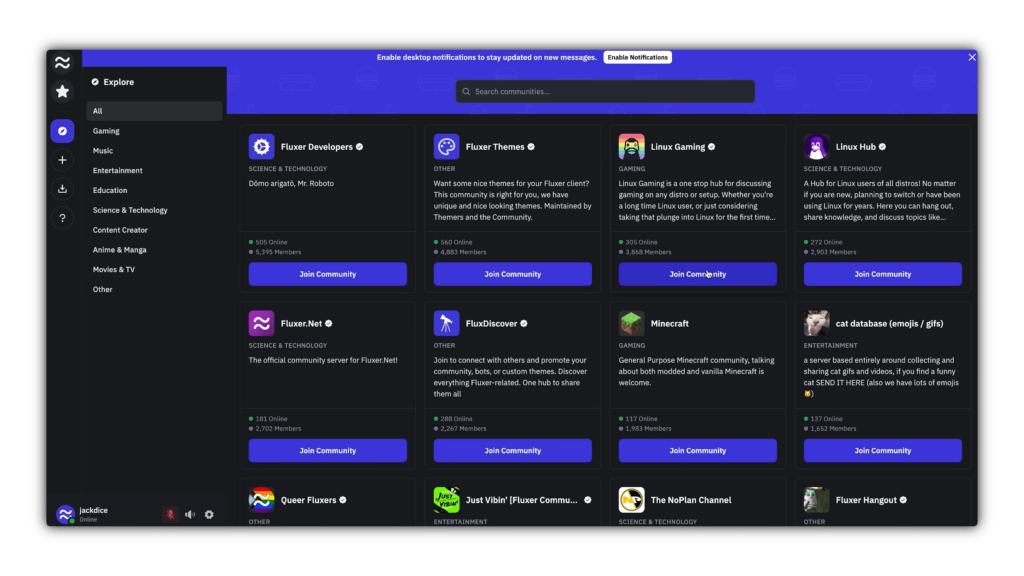
Out of everything tested, Fluxer is the one that looks the most like a direct clone of Discord. Made in Sweden, free, open source, and built by a developer named Hempus Craft who has previously worked with Discord through its bug bounty program.
The similarities go beyond looks. Fluxer lets you import a Discord server template directly, so setting up channels, categories, and member roles took a few minutes by copying over an existing Discord server. Threads and discussions still aren’t supported, matching the pattern seen in Stoat and Nerimity.
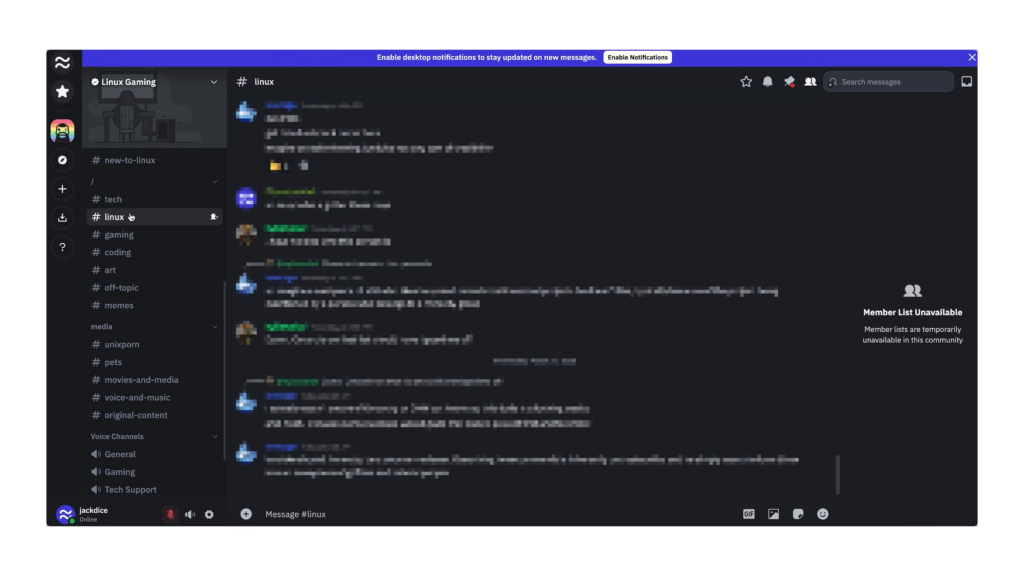
Messaging is where things got rocky. During the first test, messages took up to 6 seconds to send. A few days later, on a second attempt, sending was instant. That kind of inconsistency lines up with Fluxer’s own public beta status. File uploads worked well, up to 25MB for free, more than double Discord’s 10MB cap, and stickers and emojis are free too.
Fluxer’s paid tier, Plutonium, runs $5 a month and includes global emojis, 4K screen share, longer messages, and a 500MB upload limit. That undercuts Discord Nitro’s $10 price while offering more. The catch is reliability: over a week of testing, login errors popped up repeatedly, and text search either failed outright or hung indefinitely.
Where Fluxer wins:
- Closest visual and functional match to Discord
- Direct Discord server template import
- 25MB free upload limit, cheaper premium tier than Nitro
- Free stickers and animated emojis
Where it falls short:
- Frequent login errors during testing
- Text search unreliable or non-functional
- Inconsistent message send speed
- Public beta status means bugs should be expected
GameVox: The Most Complete Alternative, But Not Open Source
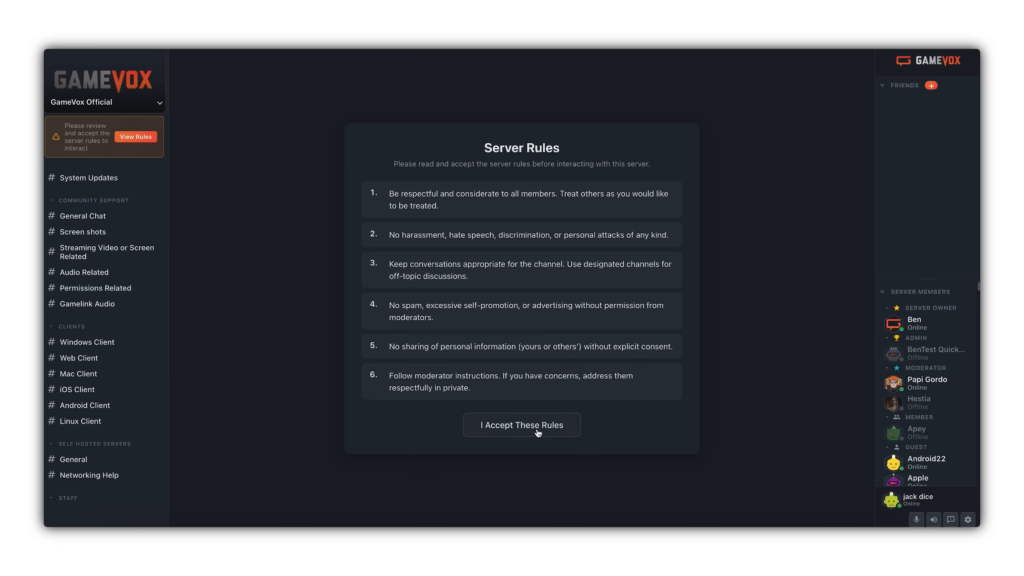
GameVox takes a different approach from the start. No email or ID is required, you can join anonymously just by typing a display name, and it’s available on Windows, Mac, Linux, and even the App Store.
Visually, GameVox is the least Discord-like of the four. The official server, with 145 members, opens into a dashboard-style layout with announcements, events, live activity, and server stats front and center, more information-dense than anything else tested.
Server setup uses a bot to import an existing Discord server rather than a template link. Topics didn’t carry over, but everything else did, including custom roles, channels, and categories. GameVox is also the only alternative tested that supports discussion channels, a feature that didn’t exist in any of the other three.
Extra features stood out here too: a built-in dice roller, a game wiki search tool, and a soundboard for recording and playing audio clips in chat. The advertised 1GB free upload limit turned out to be inaccurate during testing, a 900MB file capped out at 500MB actual, which is still generous but worth knowing going in.
Pricing works differently than the rest. Instead of individual users paying for perks, the server owner pays. Silver runs $5 a month, Gold is $10, and Diamond is $20, unlocking more roles, more channels, and up to 10GB uploads. Without a paid tier, servers are capped at 500 members.
GameVox is developed by Lightseed Gaming, an independent group based in Ohio that previously ran Mumble, Ventrilo, and TeamSpeak servers, and acquired Ventrilo in 2023 before launching GameVox. Unlike the other three options, it isn’t open source, and self-hosting costs $10 a month rather than being free.
Where GameVox wins:
- Most stable performance of the four during testing
- Works with a working discussion channel feature
- No email or ID required, anonymous accounts allowed
- Server owner pays instead of individual members
Where it falls short:
- Not open source
- Free servers capped at 500 members
- Self-hosting isn’t free ($10/month)
- Actual upload limit lower than advertised (500MB, not 1GB)
So, Is Any of These a Real Discord Replacement?
Not yet, and that’s worth being honest about. Nerimity is backed by essentially one developer. Fluxer has real potential but is still working through beta-level bugs. GameVox has the most complete feature set of the four but caps out quickly for larger communities without a paid plan.
Stoat has the strongest privacy story but is missing features, like webcam and screen share, that most people consider non-negotiable.
Building something that matches ten years of Discord’s development takes time, funding, and a community willing to actually make the switch. A chat platform is only as useful as the people using it, so even the most feature-complete alternative is limited until enough people move over.
If privacy is the main concern and you don’t need voice or video, Stoat is worth watching. If you want something closest to Discord’s day-to-day experience and can tolerate some bugs, Fluxer is the pick. If stability and features matter more than open-source status, GameVox currently leads the pack.
Top Asked Questions
Is there a Discord alternative that doesn’t require ID verification?
Yes. Stoat, Nerimity, and Fluxer all only require an email address to sign up, not a government ID or face scan. GameVox goes a step further and lets you join anonymously with just a display name, no email required.
Which Discord alternative has webcam and screen share?
Nerimity, Fluxer, and GameVox all support webcam and screen share. Stoat does not have either feature yet; both are listed as “coming soon” on the platform.
Can I import my existing Discord server into an alternative?
Fluxer supports importing a Discord server template directly. GameVox uses a bot to import server structure, including channels, roles, and categories, though it doesn’t currently carry over topics. Stoat and Nerimity require you to rebuild your server manually.
Do any of these alternatives support threads or discussion channels?
GameVox is the only one of the four tested that currently supports discussion channels. Stoat, Nerimity, and Fluxer all lack thread or discussion functionality as of testing.
Which Discord alternative is the cheapest for a large community?
Fluxer’s Plutonium tier is $5 a month per user and includes a 500MB upload limit. GameVox charges the server owner instead, starting at $5 a month, but free servers are capped at 500 members without a paid tier.
Are these Discord alternatives open source?
Stoat, Nerimity, and Fluxer are all open source. GameVox is not; it’s developed and maintained privately by Lightseed Gaming.